

Animator Techniques: Sub-Pixel Animation
A Glimpse into Pixel Animation

As much as we enjoy watching Animations, some of use get that itch in the back of our brain, asking the question “How was that made?”
This doesn’t necessarily mean the ‘Whole’ process (What programs, which tools, how to bring out a certain mood or style), it can be simple curiosity towards One action.
In fact, I had been looking over some older games for Animation topics, and came across Pixel Art for the Metal Slug series. (See below)
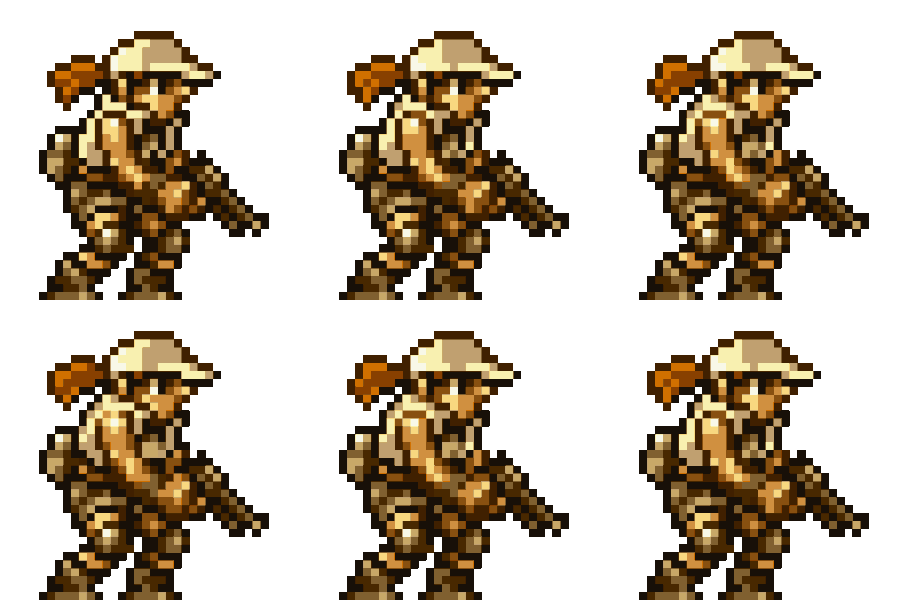
I’ve see many Pixel art games before (Stardew Valley, Undertale, Ghouls and Ghost, and the original Age of Empires to name a few), but Metal Slug’s animations have a certain ‘Liveliness’ that isn’t seen much today. (Especially at these lower pixel counts)
So why does this animation look so unique? How were they able to get this result?
Through sheer happenstance, I found a 5 Year Old video by Ansimuz explaining this exact Technique, Sub-Pixel Animation!
Take a look below to hear his quick and easy explanation:
As a little side note, I’m a Big Fan of how Ansimuz made the video above! Portraying the lesson though game dialogue boxes with both sound effects and music reminiscent of an older era, really keeps your attention with the lesson being told.
Makes for an engaging and enjoyable watch, I would happily recommend checking his other content and work!
But getting to the subject matter at hand, so we now know that ‘Sub-Pixel Animation’ refers to a technique that focuses on changing the colors of pixels, instead of outright moving pixels to create movement. (Usually subtle movements).
Why is this technique needed? In order to save space!
Let’s look again at the idle animation from Metal Slug character Fio:
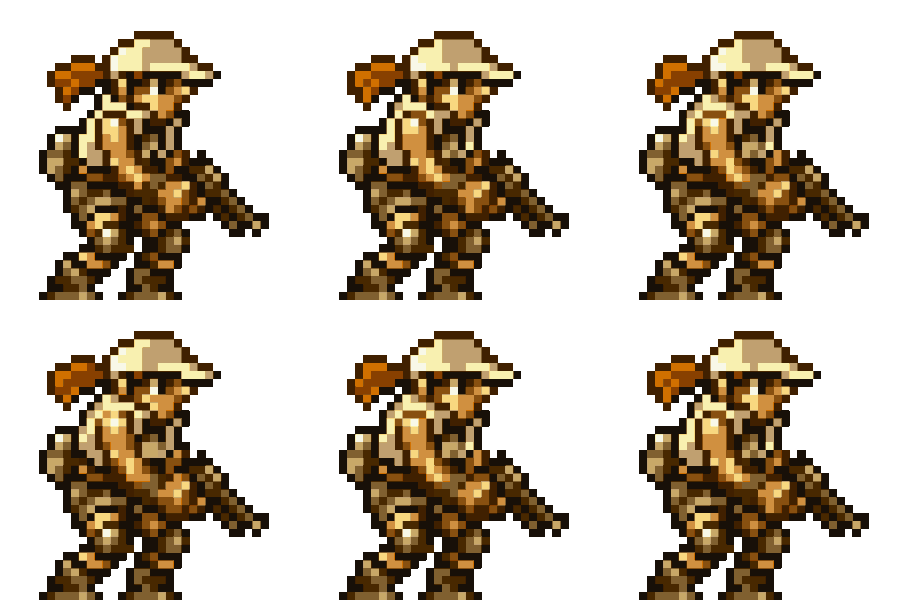
This animation is a total of 34 Pixels tall, which means that adding or taking away whole pixels appear as large movements. Take a look at Fio’s ponytail, see the stuttering? This area has the most pixels being added and taken away (4 Pixels total being toggled “on and off”), simulating the most movement and grabbing your attention easily.
But while this animation show’s Fio breathing steadily (through color shifting), the animators still wanted to portray her as steady on her feet, with both her head moving very little. (Only simulating movement also with color shifting.)
Lets contrast this animation (from 1998) with another one that’s been making the rounds, of the character Yahna from game Unicorn Overlord (2024). This idle animation has been lovingly given the name by fans, the “Witch Wiggle”.
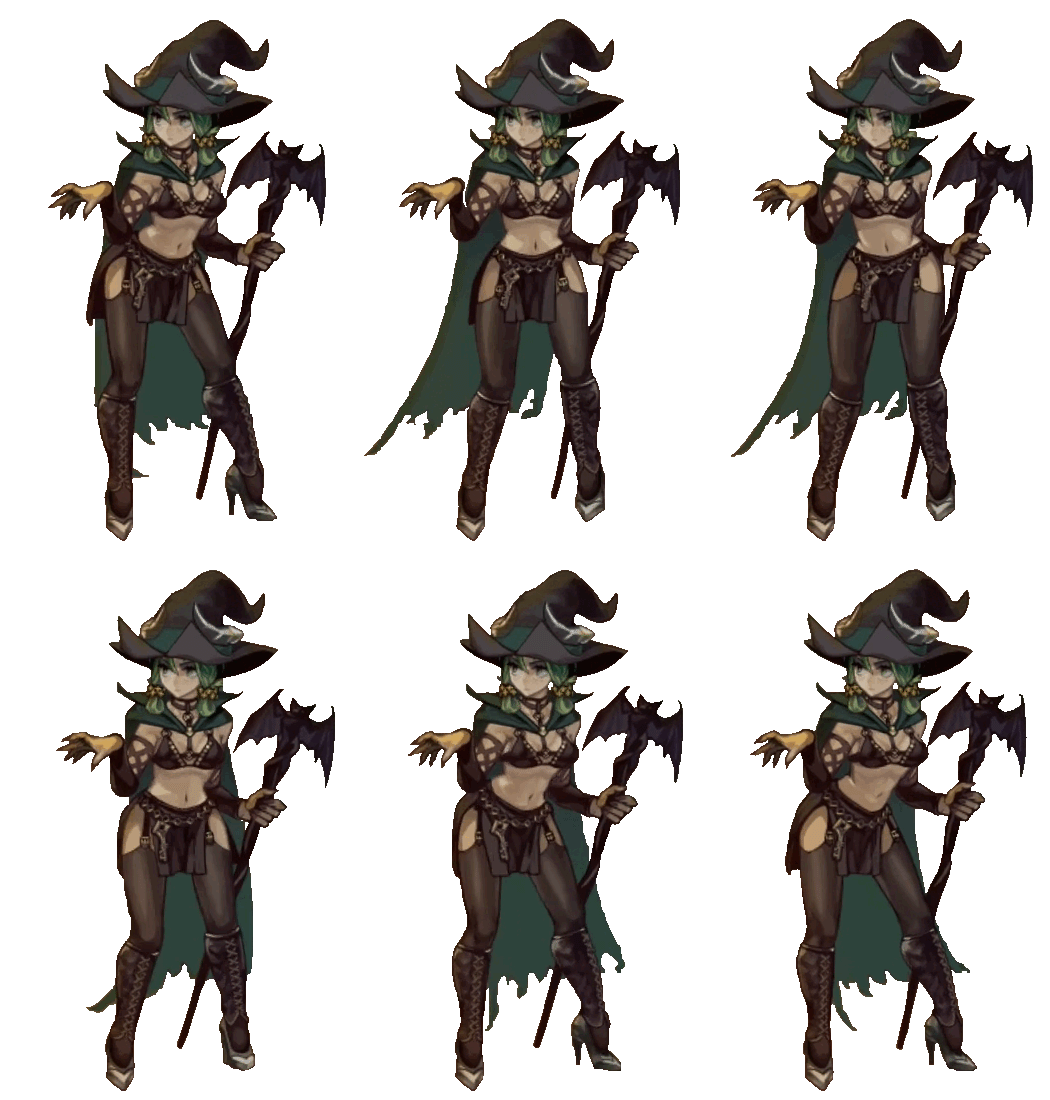
There’s a few things we can pull from this animation (other than the obvious reasons it’s a fan favorite) such as this being a Higher Resolution animation that Fio’s. (roughly 500 pixels tall, meaning Fio’s entire animation at pixel scale would probably only cover Yahna’s face.)
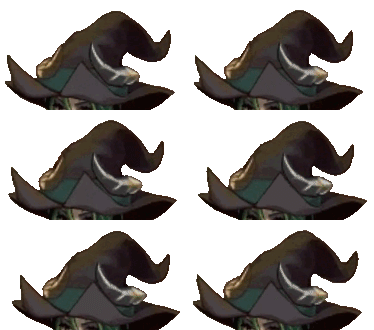
If we zoom in on the hat, we can see that it still moves on many pixels side to side. With more room available, the animators can move parts of an object by multiple pixels, without having to rely on color to imply movement.
But don’t think Sub-Pixel Animation has completely been overruled! Take a look at this close up of Yahna’s stomach, while we’re not at a Pixel level, the concept behind Fio’s animation can also be seen here:
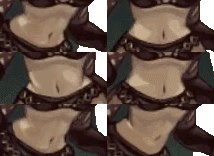
For Fio, Color Shifting primarily acts as movement in the Animation. For Yahna, this Color Shift provides a Perspective Shift in addition to Movement. Moving from face fo with the camera, we can clearly see the hips rotate to a roughly 45 Degree angle, and then back to the face on pose.
While the lower stomach has a large amount of horizontal movement, the upper stomach doesn’t actually have too much side to side changes. We can see the dark line under the ribs stretch vertically in the 45 Degree pose, showing the stomach extend to keep her torso stable as Yahna’s hip swings.
Whether at Low or High Resolution, depicting Movement through Color Shifting will always have it’s uses in 2D Animation!